
Email, together.
Bring support@, sales@ and every company mailbox into one shared inbox. Give each email an owner, talk it through in private notes — and let everyone sign in as themselves.
Everything a shared inbox should have been.
Every email gets an owner.
No more “did anyone reply to this?”. Assign it, set a status, and everyone can see who’s on it.
No more double replies.
Talk it through, right in the thread.
Every mailbox. One search.
Signatures for every sender.
One signature per shared mailbox, with each person’s name and job title filled in for them.
Webmail stays in step.
Replies land in the mailbox’s Sent folder, and changes made in webmail show up in Aubent.
cPanel, without cPanel.
Create mailboxes, set quotas, forwarders and out-of-office replies — all from Aubent.
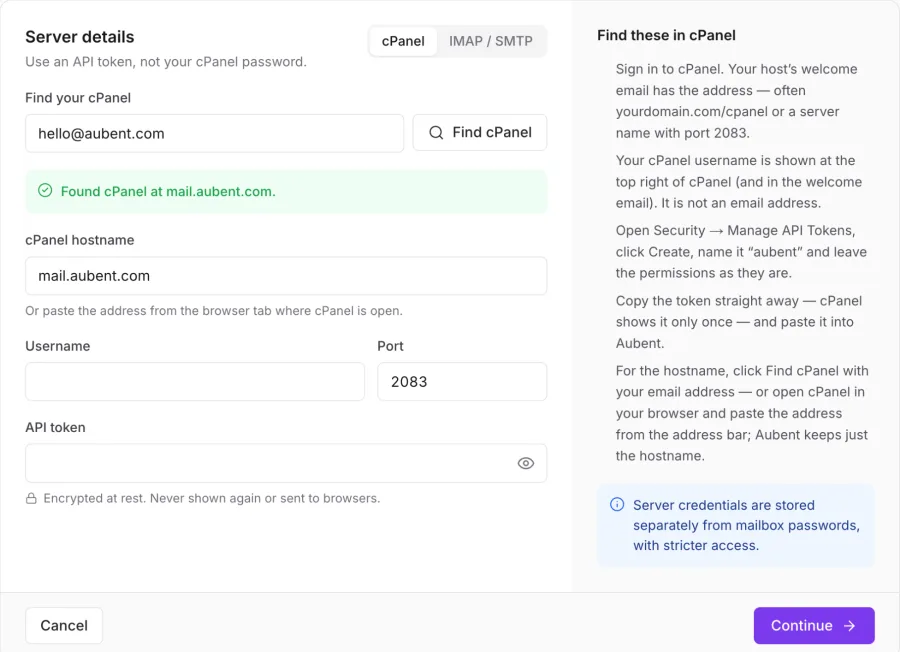
Bring your mailboxes over in three steps.
- 1
Connect your email
Type your email address and Aubent finds your cPanel or mail server for you. No settings to look up.
- 2
Pick your mailboxes
Choose support@, sales@ and the rest. Aubent can set a fresh password for shared ones, so nobody has to dig them out.
- 3
Invite your team
Everyone gets their own sign-in and exactly the access you choose. Your existing email keeps arriving as normal.
An assistant for every reply.
Summaries and reply drafts that understand the whole conversation. You read it, change it, and send it — it never sends anything on its own.
Three Renova Health staff lost portal access after a password reset; they see “Session expired” on every sign-in. Aisha has promised a fix today and a private-window workaround. They need access before Monday’s payroll run.
Access for people. Not passwords.
Everyone signs in as themselves. Choose exactly what they can do in each mailbox — and take it back in one click.
No shared passwords
Mailbox passwords are stored encrypted and never shown to anyone.
Instant offboarding
Remove someone and their access ends straight away.
Two-step sign-in
Use an authenticator app, and require it for your whole team.
A record of every change
Who sent, assigned or changed what, and when.
- NEOwnerNgozi EzeEverything, including billing
- ABManagerAisha BelloAssigns work, manages people
- TBAgentTunde BakareReads, replies, leaves notes
- DOViewerDavid OseiCan read, can’t reply
Made for every team that shares an address.
Support that answers once, and fast.
Every request gets an owner, and you can see when a teammate is already replying.
Sales that never loses a lead.
Claim new enquiries, star the hot ones and agree pricing in private notes.
Finance with a paper trail.
Give people read-only access where that’s all they need, and see every change.
Simple pricing.
14 days free on every plan. No card needed.
- 3 people
- 3 mailboxes
- Shared inbox, notes and assignment
- Every feature included
- 10 people
- 10 mailboxes
- Team inboxes and workload
- Every feature included
- 25 people
- 30 mailboxes
- Analytics across every team
- Every feature included
- Custom limits
- Priority support
- Help moving your team in
- Every feature included
Prices in US dollars, per month. Try everything free for 14 days first.
Questions.
Do I need to move my email?
No. Your domain, hosting and mailboxes stay exactly where they are. Aubent connects to them and adds teamwork on top — and anything you send from Aubent also appears in the mailbox’s Sent folder.
Which email providers work with Aubent?
Any cPanel hosting, plus email that works with IMAP and SMTP — including Zoho Mail, Namecheap Private Email, Hostinger, Titan, Fastmail and Google Workspace (with an app password). Microsoft 365 isn’t supported yet.
Will my team still need the mailbox passwords?
No. Each person signs in to Aubent with their own account. The mailbox password is entered once, stored encrypted, and never shown again.
What happens when someone leaves?
Remove them and their access ends immediately. The shared mailboxes keep working for everyone else, and nobody has to change a password.
Does closing a conversation change my mailbox?
No. Owners, statuses and notes live in Aubent. Your mailbox keeps its own read and unread state, so people still using webmail aren’t affected.
Do I have to use AI?
No. The AI assistant is optional and off until an owner turns it on. It never sends anything by itself and only sees what each person is allowed to see.
Your inbox, shared.
Connect your first mailbox in a few minutes. Free for 14 days, no card needed.